
Appearance
What is ZeylonPOS?
ZeylonPOS is an all-in-one system for running a shop, restaurant, pharmacy or wholesale business. It brings your till (point of sale), stock, customers, suppliers, accounting and reports together in one place, so a sale at the counter automatically updates your inventory and your books — no double entry, no spreadsheets.
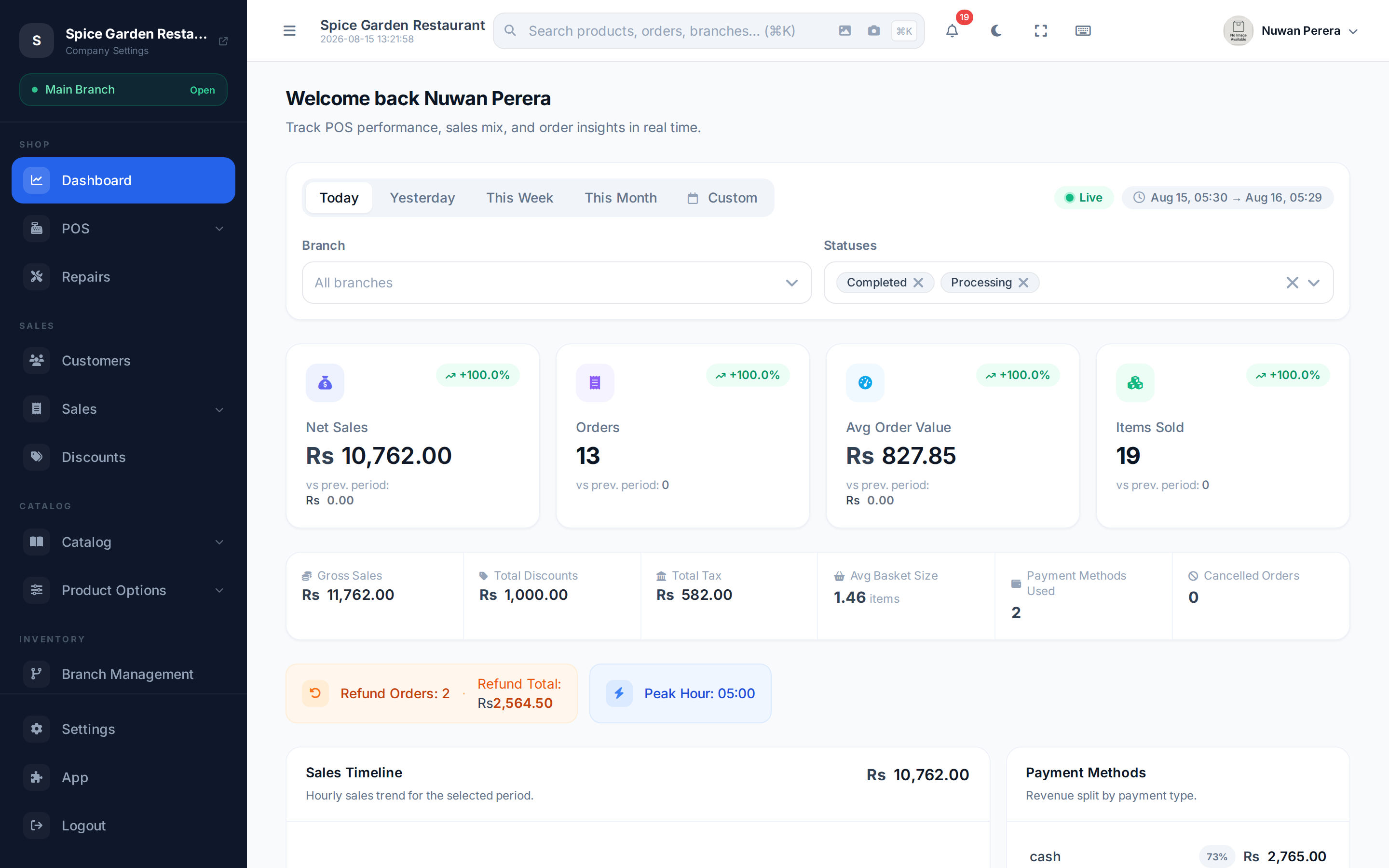
Screenshot pendingRoute /dashboard, logged in as the restaurant demo
What can it do?
🟢 For everyone
- Sell at the counter — ring up items by tapping or scanning barcodes, take cash or card, print or e-mail a receipt. Works even when the internet drops.
- Track your stock — every sale, return and purchase adjusts stock counts automatically across all your branches and warehouses.
- Know your customers — keep customer accounts, credit balances and history.
- Buy from suppliers — raise purchase orders and receive stock.
- See how the business is doing — live dashboards and dozens of reports.
🔷 For managers & admins
Managers and owners also get accounting (chart of accounts, journals, bank reconciliation, financial statements), user & role management, tax and currency configuration, and control over which modules (add-on features like restaurant tables, repairs, or advanced inventory) are switched on.
How the pieces fit together
You build your catalog (products, prices, units), then sell them at the POS. Each sale moves stock and posts to your accounts. Buying from suppliers brings stock back in. Everything feeds the reports.
The five kinds of business it fits
ZeylonPOS ships with tuned demo stores you can explore, because the same system adapts to very different shops:
| Business | What's special |
|---|---|
| 🍽️ Restaurant | Tables, floors, kitchen display, modifiers, recipes |
| 📱 Mobile & electronics | Serial/IMEI tracking, repairs, trade-in |
| 💊 Pharmacy | Batches, expiry (FEFO), units & pack sizes |
| 🛒 Supermarket | Fast barcode scanning, weight items, bundles |
| 🕌 KSA retail | ZATCA e-invoicing, VAT, Arabic receipts |
Demo stores are shared by everyone exploring them, so account and billing changes — your profile and password, users and roles, and the subscription — are switched off there.
Not sure where to start?
Follow Signing in → The setup wizard → Making a sale. In fifteen minutes you'll have rung up your first order.