
Appearance
Roles & what you can do
What you can see and do in ZeylonPOS depends on your role. Your manager picks a role for you when they create your account. This page explains, in plain terms, what each role is for — so you know why a button might be missing, or which role a new team member needs.
🟢 For everyone
You can't change your own role. If you need access to something you can't see, ask a manager or admin — see Users.
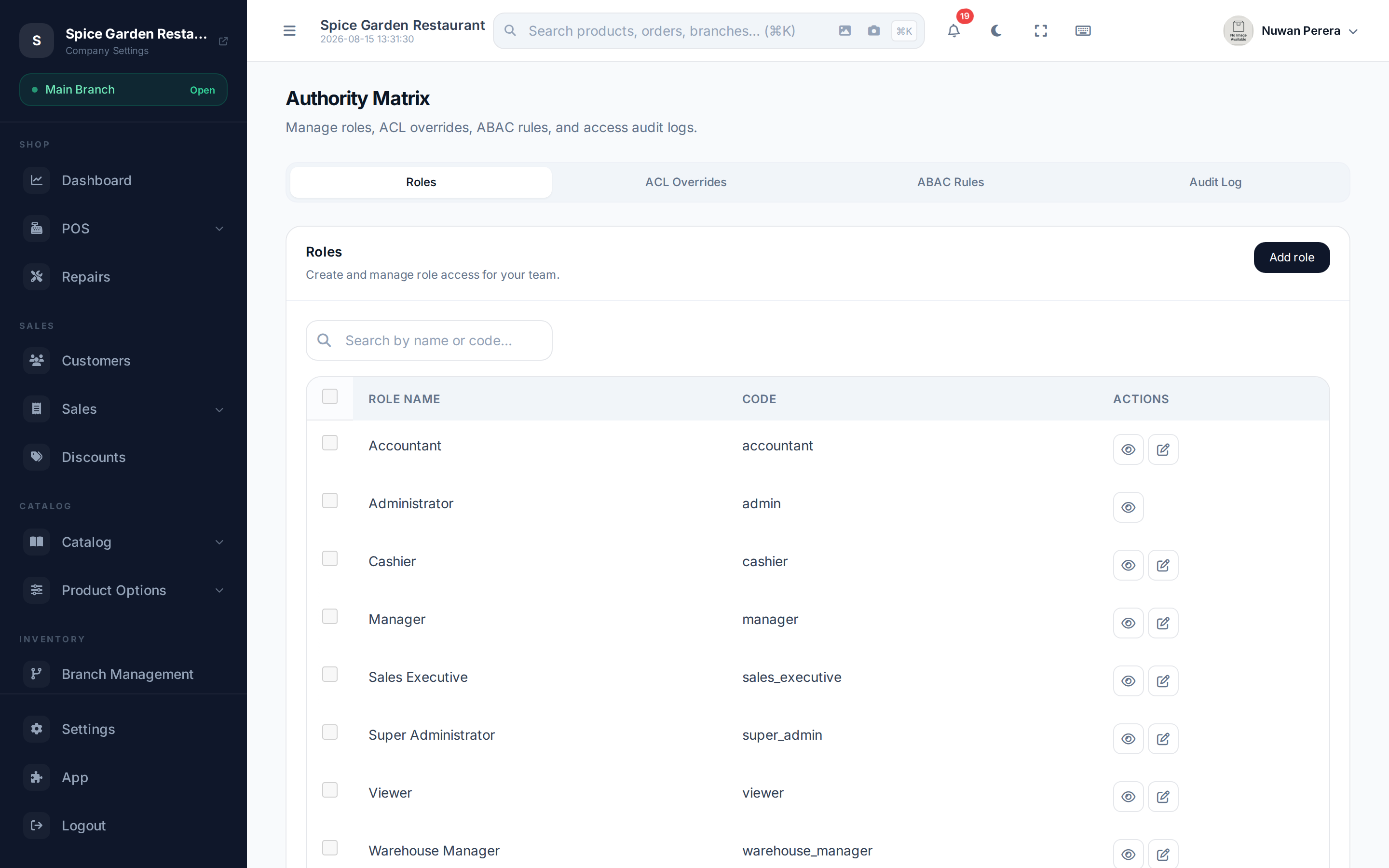
Screenshot pendingRoute /access-control/authority-matrix as admin
The eight roles at a glance
ZeylonPOS ships with eight ready-made roles. Most shops only use a few of them.
| Role | Best for | What they can do |
|---|---|---|
| Super Admin | The business owner | Everything — no restrictions at all. |
| Admin | A trusted manager who runs the whole system | Full access to their company: sales, catalog, inventory, accounting, users and settings. |
| Manager | A branch or shift manager | Run day-to-day operations and approve things, within an approval limit and their own branch. |
| Accountant | Bookkeeper / finance staff | Accounting and financial reports only. |
| Warehouse Manager | Stockroom / warehouse staff | Inventory and stock only, limited to their warehouse. |
| Sales Executive | A field or floor salesperson | Their own sales and customers only. |
| Cashier | Till operators | The point of sale only — and only while a shift is open. |
| Viewer | Someone who needs to look, not touch | Read-only across the system, plus exporting reports. |
What this means day to day
🟢 For everyone
- Cashier — you sell at the register, take payments, print receipts and run refunds and exchanges. You must open a shift before you can sell, and the till may be tied to a specific device. You won't see accounting or settings.
- Sales Executive — you work with customers and the sales you make. You generally can't see other people's sales.
- Warehouse Manager — you handle stock: receiving, transfers, counts and inventory reports for your warehouse.
- Accountant — you work in the books: chart of accounts, journals, reconciliation and the financial reports. You don't run the till.
- Viewer — you can open and read almost anything and export reports, but you can't create, edit or delete.
🔷 For managers & admins
- Manager — runs operations across modules but is held to two guardrails: an approval limit (large amounts need a higher role to sign off) and a branch match (you act within your assigned branch).
- Admin — full control of the company, including users, roles, taxes, currencies and modules — but still scoped to your one company (no cross-tenant access).
- Super Admin — the owner-level account that bypasses every permission check. Give it to as few people as possible.
Super Admin is not the ZeylonPOS platform admin
"Super Admin" is the most powerful role inside your company. It is not the same as the ZeylonPOS platform staff who run the service itself — that's a completely separate kind of account.
Can I be restricted further?
Yes. On top of your role, an admin can:
- Assign you to specific branches, so you only see data for those branches and their warehouses. Leave it blank and you see everything.
- Grant or deny individual permissions for your account, overriding the role default in either direction.
So two people with the same role can still see different things.