
Appearance
Catalog overview
Your catalog is everything ZeylonPOS knows how to sell — products and services, plus the building blocks that organise and price them: categories, units, tax rates, variants and options. Build it once and it powers the register, your stock counts, receipts and reports.
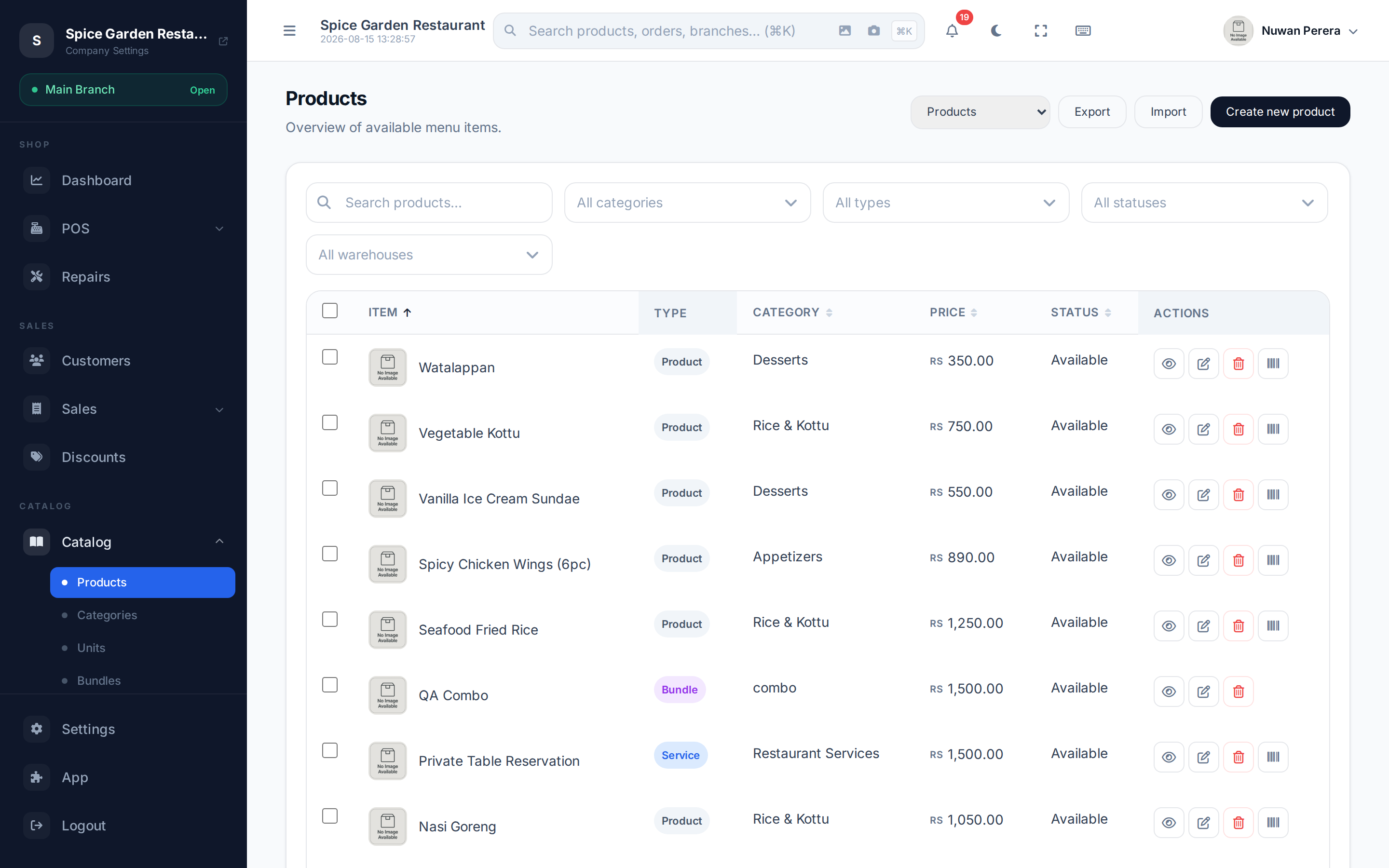
Screenshot pendingRoute /products, restaurant demo, several products listed
The pieces
| Piece | What it is | Article |
|---|---|---|
| Products | The things you sell — a standard item, a service, or a variable item with variations | Products |
| Categories | A nested tree that groups products for the menu and reports | Categories |
| Units of measure | How you count and sell stock — piece, box, kg — with conversions | Units of measure |
| Variants | Sizes/colours of one variable product, each with its own price and stock | Product variants |
| Variant options | The reusable option groups (Size, Colour) variants are built from | Variant options |
| Specifications | Extra attributes (Material, Warranty) recorded against a product | Specifications |
| Modifier groups | Add-ons chosen at the till (extra cheese, no onions) | Modifier groups |
| Bundles | Several products sold together as one combo | Bundles & combos |
| Recipes | An item built from ingredients that deduct instead of it | Recipes & ingredients |
How it fits together
A product sits at the centre. It belongs to a category, is counted in a unit, may carry tax rates, and can be extended with variants, modifiers, specs and a recipe. Bundles group products together. Everything flows to the register, and every sale updates stock and your books.
Modules — some pieces are optional
A few catalog features are add-on modules an admin switches on under the App marketplace. If you don't see one of these, its module is off:
| Feature | Module |
|---|---|
| Variable products & variants | catalog_variations |
| Modifier groups | catalog_modifiers |
| Product specifications | catalog_attributes |
| Unit conversions & multi-unit pricing | catalog_pricing |
| Bundles | catalog_bundles |
Standard products, services, categories and units are always available.
Where to start
🟢 For everyone
New to the catalog? Add a few categories, then create your first products. That's enough to start selling.
🔷 For managers & admins
Setting up in bulk? Use import & export to load a whole catalog from a spreadsheet, and set up tax rates and units first so products can reference them.