
Appearance
Inventory overview
Your inventory is the running count of everything you have to sell, and where it is. ZeylonPOS keeps that count accurate for you: a sale takes stock out, a purchase puts it in, and a transfer moves it — automatically, with a trail you can audit. This page explains the pieces so the rest of the Inventory section makes sense.
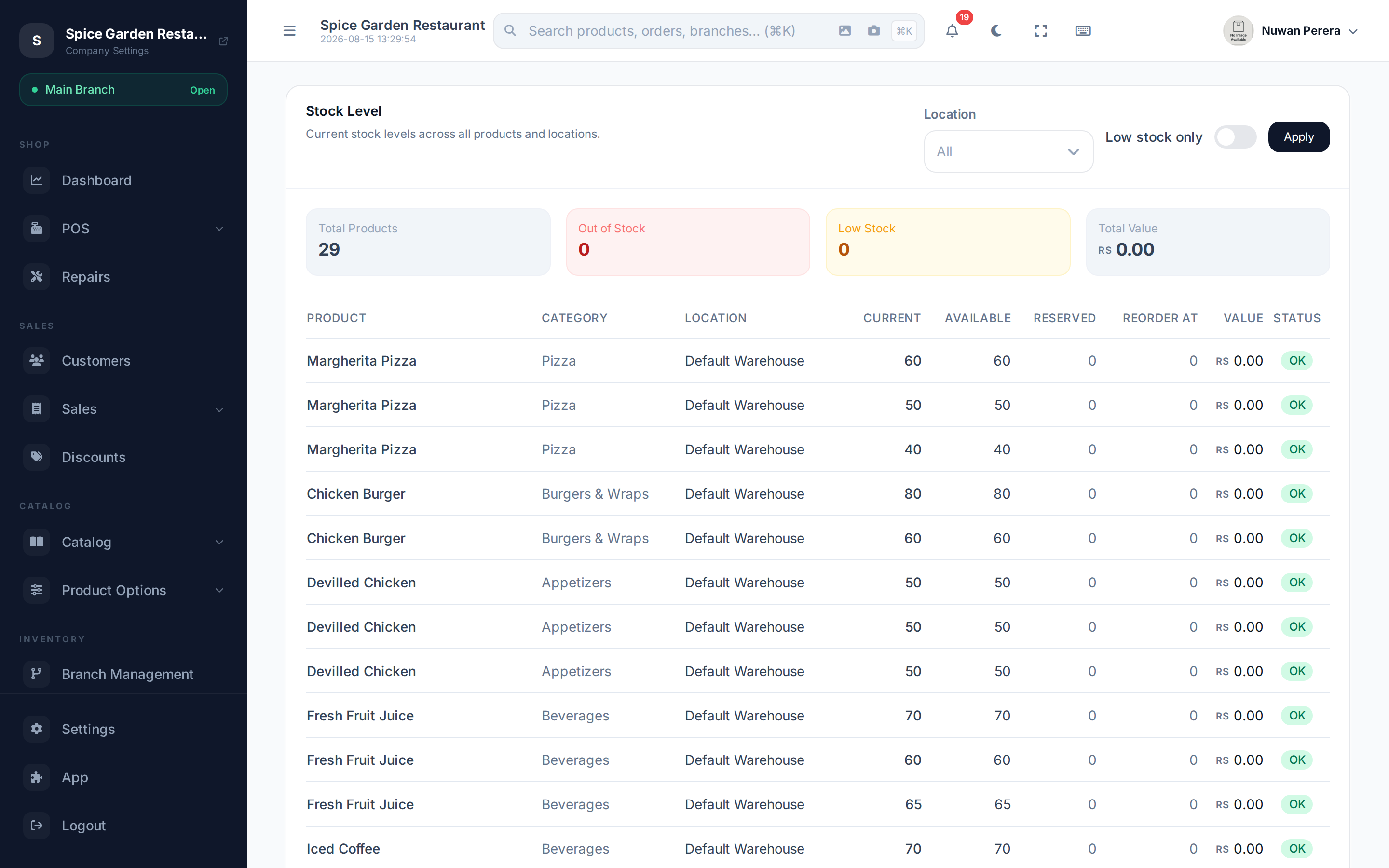
Screenshot pendingRoute /inventory/reports/stock-level
Branches and warehouses
There are two kinds of location:
- A branch is where you sell — a shop, outlet or restaurant floor. It doesn't hold stock itself.
- A warehouse is where stock physically lives.
Each branch is told which warehouse to draw from in its POS configuration. So when you sell at a branch, stock comes out of its linked warehouse (with optional fallback warehouses when the first runs dry).
Current, available and reserved
Three numbers describe an item's stock, and they're not the same:
| Number | Meaning |
|---|---|
| Current | What's physically on hand |
| Reserved | Held for orders that are placed but not yet completed (an open restaurant table, a held order) |
| Available | What you can still sell — current minus reserved |
When an order is started, ZeylonPOS reserves the stock so two tills can't sell the last one twice. When the sale completes, the reservation becomes a real deduction. If the order is cancelled, the reservation is released and the stock is free again.
How stock moves are recorded
Every change to stock — a sale, a return, a purchase, a transfer, an adjustment — is written as a stock move. Counts are never edited directly; they're always the sum of these moves. That's what lets the stock movement report show you exactly why a number changed, and keeps your valuation and accounting in step.
Bundles and recipes expand automatically: sell a meal deal or a made-to-order dish and it's the component stock that moves, not the finished item's.
What's in this section
| Article | For |
|---|---|
| Branches | Setting up where you sell |
| Warehouses | Setting up where stock lives |
| Branch POS configuration | Linking a branch to its warehouse and stock rules |
| Stock transfers | Moving stock between locations |
| Stock level / movement / valuation | The three core inventory reports |
| Reorder alerts & cycle counts | Advanced Inventory: staying stocked and accurate |
| Lots, serials, landed costs | Inventory Pro: batches, serial numbers and true cost |