
Appearance
Manual journals
A manual journal is a hand-written accounting entry. Most postings happen automatically from sales, but some things — owner drawings, bank fees, depreciation, purchases, corrections — you record yourself here. Each entry is a set of debit and credit lines that must balance.
🔷 For managers & admins
Viewing journals needs
accounts.manual-journals.read. Creating and editing need accounts.manual-journals.create / .update, and the accounting module at full level. This is accountant/admin territory — a wrong entry affects your reports. 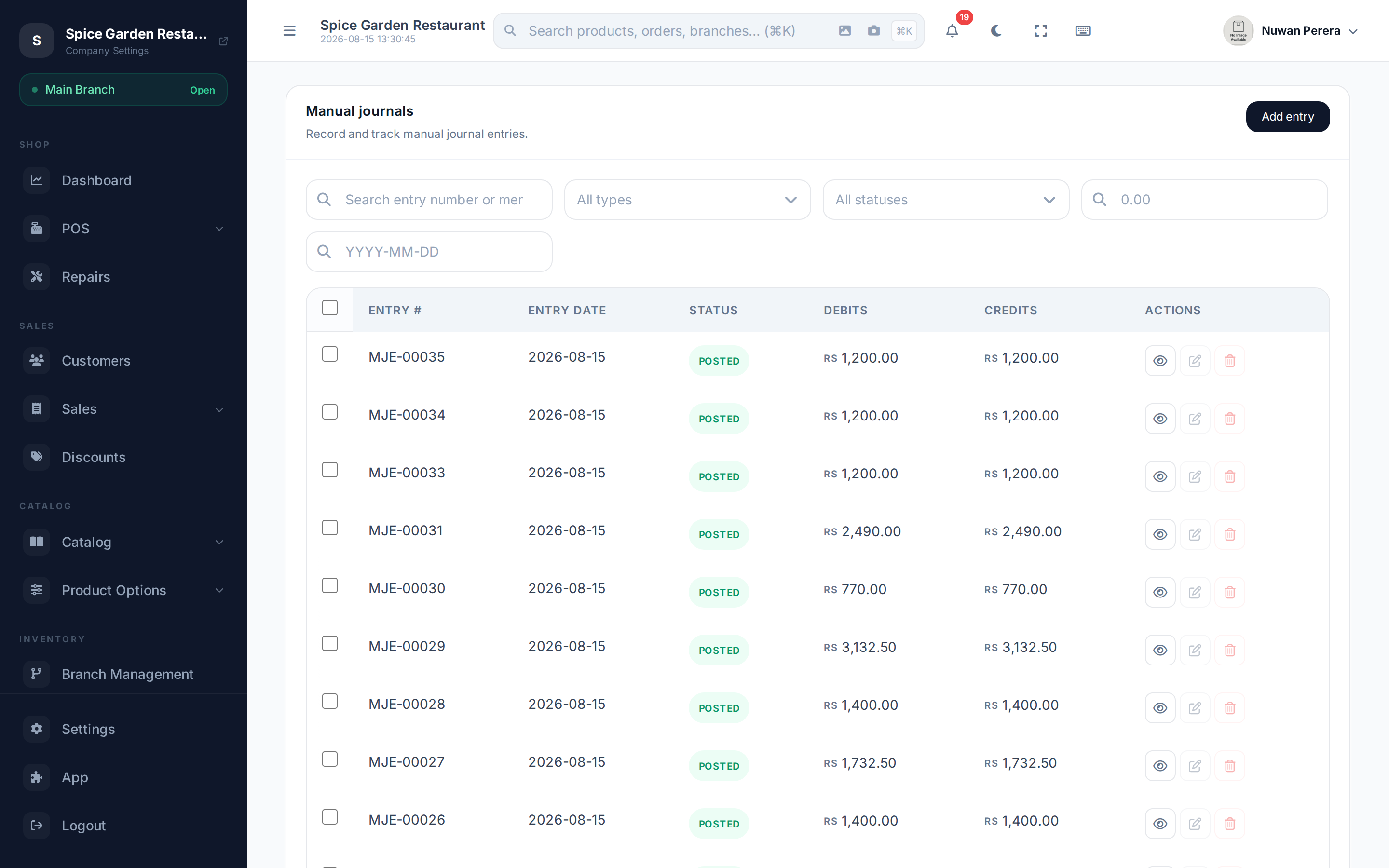
Screenshot pendingRoute /manual-journals with a few entries in draft and posted
Create an entry
- On the Manual Journals screen select New.
- Set the Entry Date.
- Choose a Status — Draft to keep working, or Posted to commit it to the books.
- Add a Memo describing what the entry is for.
- Fill in the lines (at least two). For each: pick an Account, then enter a Debit or a Credit amount, plus an optional Description.
- Make sure total debits equal total credits.
- Select Save.
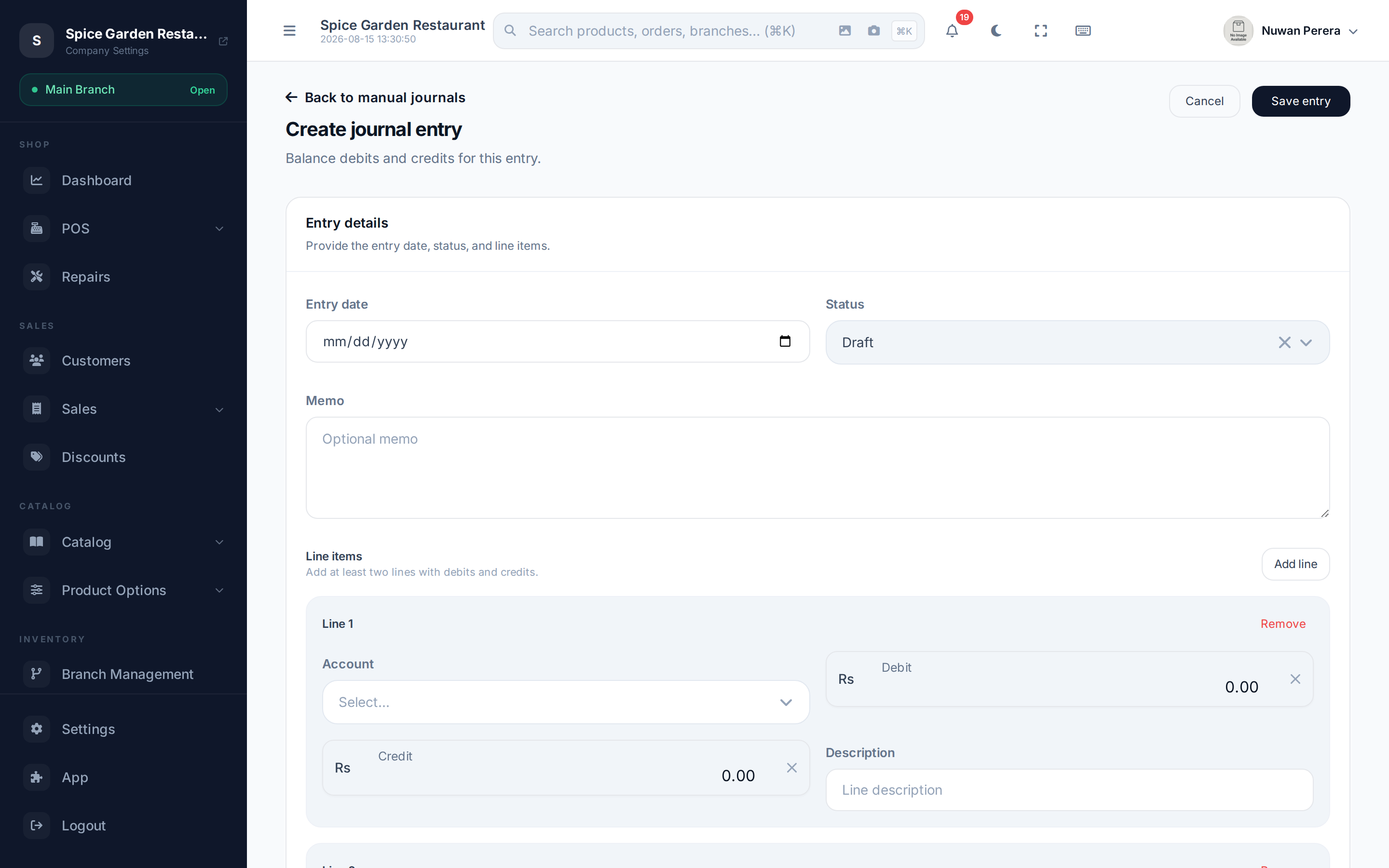
Screenshot pendingRoute /settings/manual-journals/create with two balanced lines filled in
The balancing rules
The entry won't save unless it follows these rules:
- At least two lines.
- Each line has either a debit or a credit — never both, never zero on both.
- Total debits must equal total credits.
If they don't match, the form flags it and the save is rejected.
Draft vs posted
| Status | Meaning |
|---|---|
| Draft | Saved but not yet in the books — you can keep editing |
| Posted | Committed to the ledger and reflected in reports |
Posted entries lock down
Once an entry is posted, you can't edit or delete it — those actions are disabled. To change a posted entry, reverse it (below) and post a corrected one. This keeps a clean audit trail.
Reverse an entry
To undo a posted entry, open it and select Reverse Entry. ZeylonPOS creates a mirror-image entry (debits and credits swapped) that cancels the original. Both entries stay on record and are cross-linked, so anyone reviewing the books can see what happened and why. If the original entry is in a closed or locked period, the reversal is dated on the next open date instead.
Manage the list
- Search and sort entries by number, date, status or totals.
- View, Edit (drafts only) or Delete (drafts only) from the row actions.
- Delete several drafts at once with the bulk actions.
On the mobile app
More → Accounting → Manual journals carries the same list, detail and entry form. Writing an entry: set the date, add a line per account with an amount in the Debit or Credit column — typing in one clears the other, since a line only ever takes one side — and add more lines as needed. The running totals sit above the save button, which stays disabled (and says what is missing) until the entry balances.
Turn Post immediately off to keep the entry as a draft you can edit later. A posted entry can only be reversed, which posts the opposite entry and leaves the original in the books.