
Appearance
Stock movement report
Where the stock level report shows what you have now, the stock movement report shows how it got there. It's a dated ledger of every change to stock over a period — every sale, return, purchase, transfer and adjustment.
Use it to answer "why did this count change?" and to audit stock over time.
🔷 For managers & admins
Needs the
inventory.reports.stock-movement.read permission. 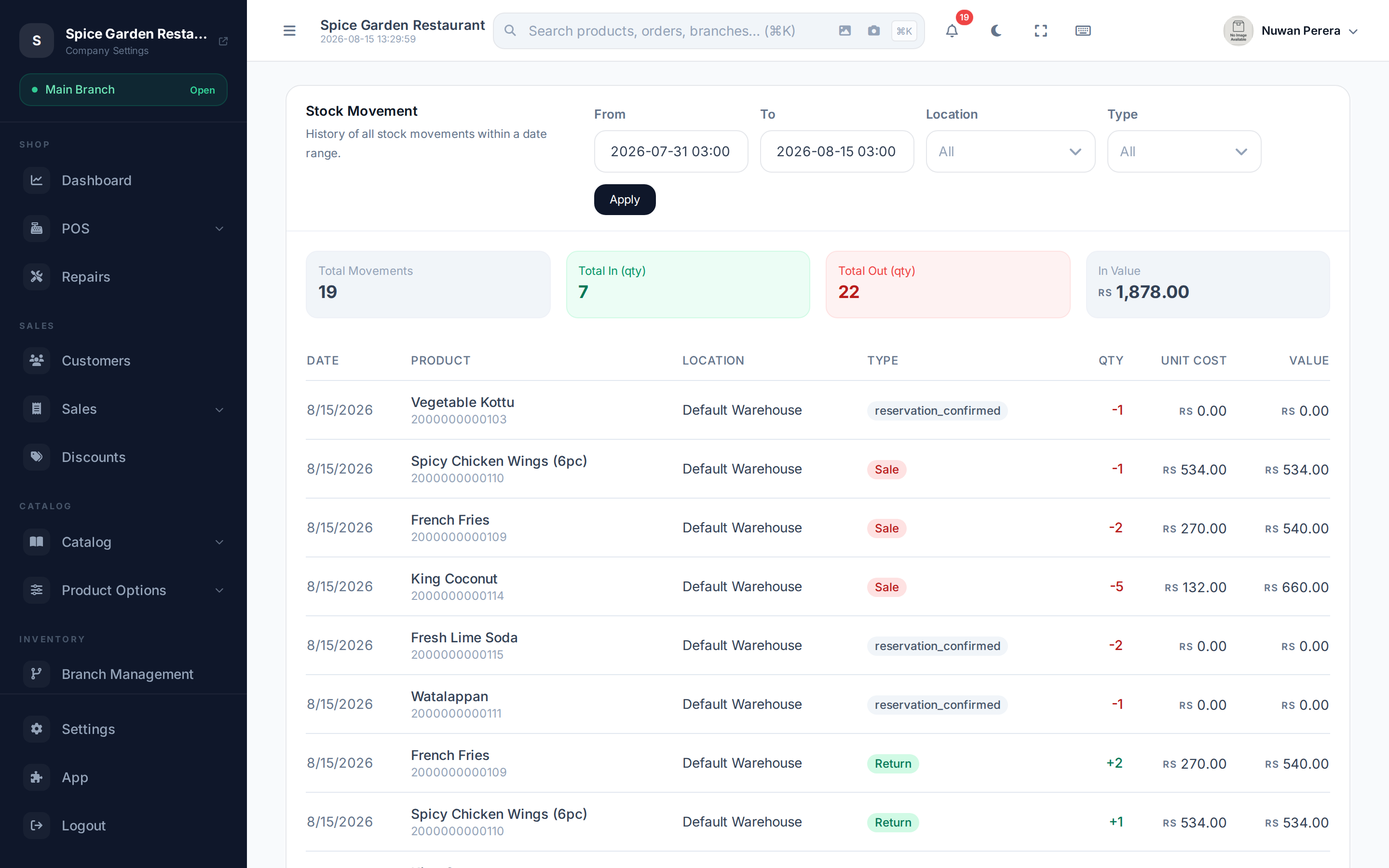
Screenshot pendingRoute /inventory/reports/stock-movement
Reading it
Set the filters and select Apply:
- From / To — the date range (defaults to this month so far).
- Location — a single warehouse/branch, or All.
- Type — narrow to one kind of movement (see below), or All.
Summary cards show Total Movements, Total In (qty), Total Out (qty) and In Value.
Each row shows the Date, Product, Location, movement Type, the Qty change (shown with a + or − sign), the Unit Cost, and the Total Value of that movement.
Movement types
| Type | Direction | Comes from |
|---|---|---|
| Purchase | In | Receiving stock against a purchase order |
| Return | In | A customer refund/return |
| Transfer In | In | The receiving side of a stock transfer |
| Opening | In | Opening stock when an item was first set up |
| Sale | Out | A completed sale |
| Transfer Out | Out | The sending side of a stock transfer |
| Adjustment | Either | A correction, e.g. from a cycle count |
Incoming movements are shown in green, outgoing in red.
Cancelling or editing an order doesn't erase its original stock movements — they stay in the history, so the report shows what really happened.