
Appearance
Bundles & combos
A bundle sells several products together as a single item at one price — a meal deal, a gift set, a starter kit. You ring up "Weekend Combo" once, and stock comes off each product inside it.
🟢 For everyone
Bundles need the Bundles module (
catalog_bundles) to be switched on, plus catalog permission (catalog.bundles.create / update). 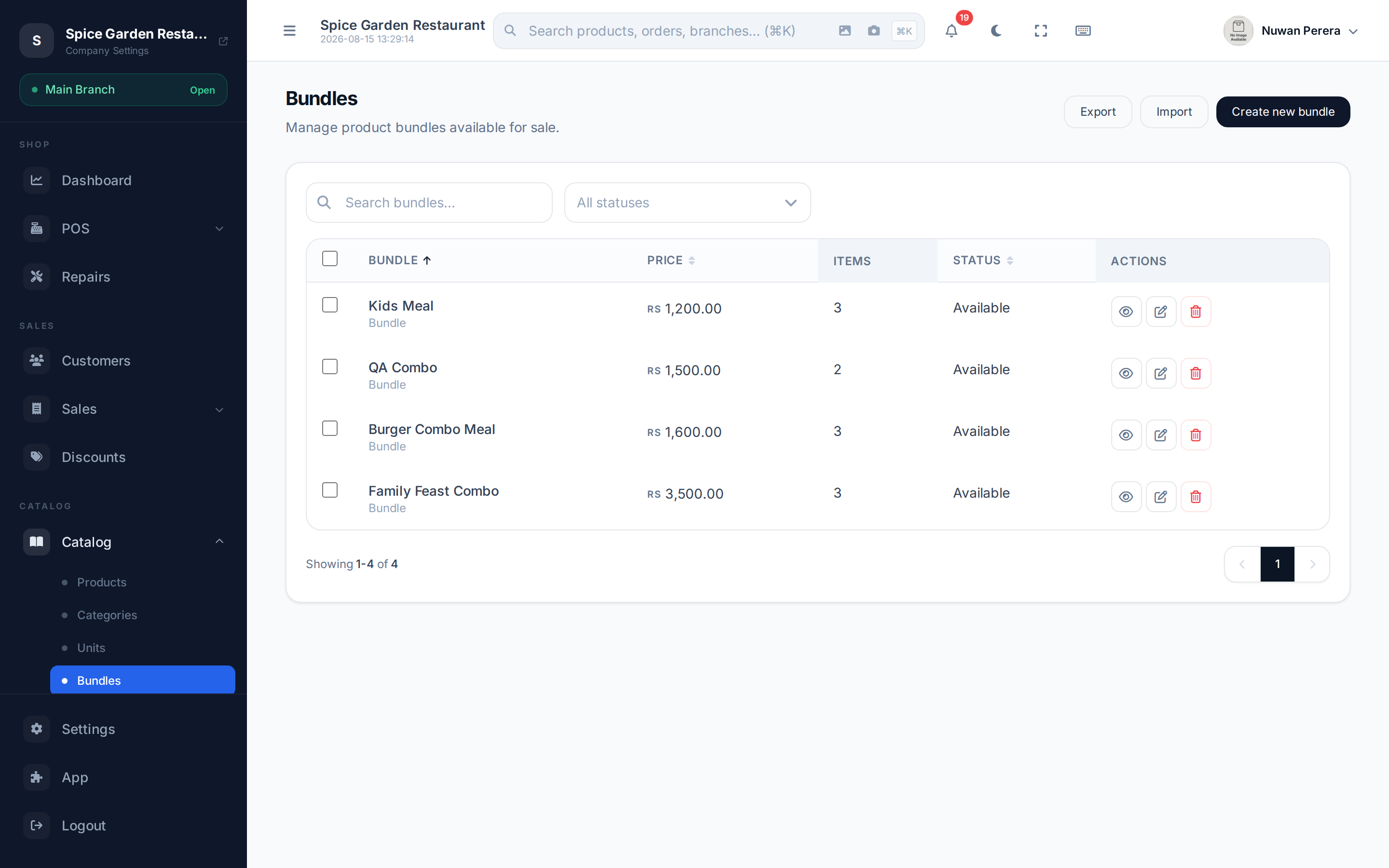
Screenshot pendingRoute /bundles, a few bundles listed
Bundle vs recipe
Both combine products, but they behave differently:
| Bundle | Recipe | |
|---|---|---|
| What the customer buys | A combo of finished products | One finished item |
| Stock that moves | Each component product's stock | The ingredients' stock |
| Typical use | Meal deals, gift sets, kits | A dish, a mixed drink, a compound |
Use a bundle when the customer is really buying several sellable things together; use a recipe when they're buying one made-up thing.
Step by step
- Go to Bundles and select New bundle.
- Enter the Bundle name (translatable) and optionally a Bundle image.
- Set the bundle Price — the single price the customer pays.
- Under Bundle items, Add item for each product in the bundle: pick the Product and its Quantity.
- Leave Availability on to show the bundle for sale.
- Select Save.
Pricing
A bundle carries its own Price — it isn't automatically the sum of its parts, so you can price a combo below the total of buying each item separately.
At the register
A bundle appears like any other item. Adding it drops its components onto the order together, and each component's stock is deducted when the sale completes. See Selling bundles.